Create a new Data Collection Job
The first step in the data collection workflow is to establish a new Data Collection Job. This begins by selecting the New Data Collection Job button found on the Data Collection tab, which displays all Data Collection Job created by you or your organisation.
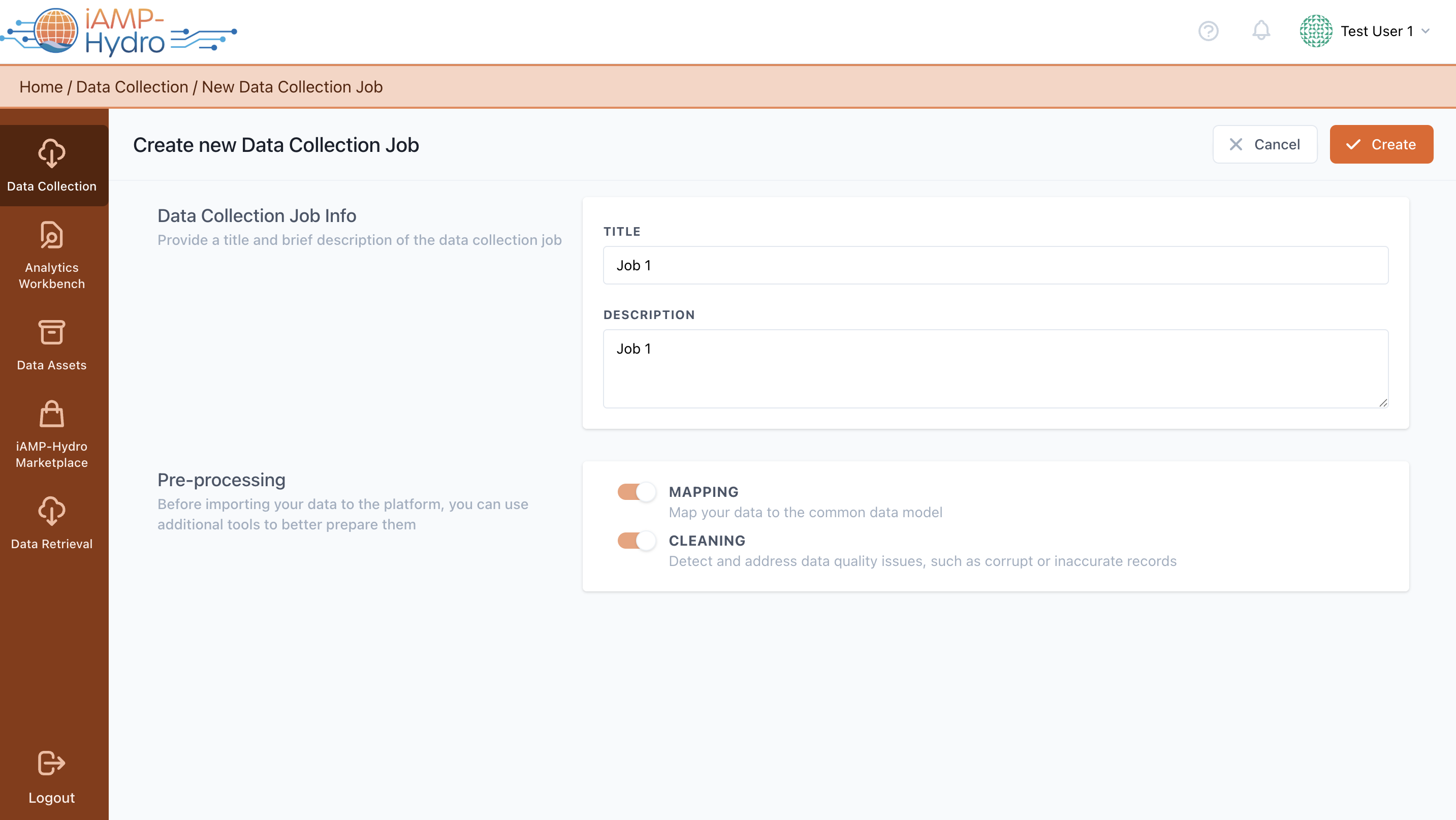
Initially, you are prompted to fill in the Job Details, providing a name and a descriptive overview for the Data Collection Job. Next, you must decide on the pre-processing steps to be applied, such as Mapping and Cleaning, to the incoming data. Completion of these steps allows for the finalization of the Data Collection Job creation by clicking the Create button at the page's top right or cancelling if necessary.
Upon completion, the newly created Data Collection Job becomes accessible on the Data Collection page
Hint
While Mapping is not obligatory, it's highly recommended to ensure the data aligns with the iAMP Hydro Common information Model. Activating Mapping also unlocks the option to select the Cleaning step, crucial for addressing data quality issues (like corrupted or inaccurate records).