Search for a Data Asset
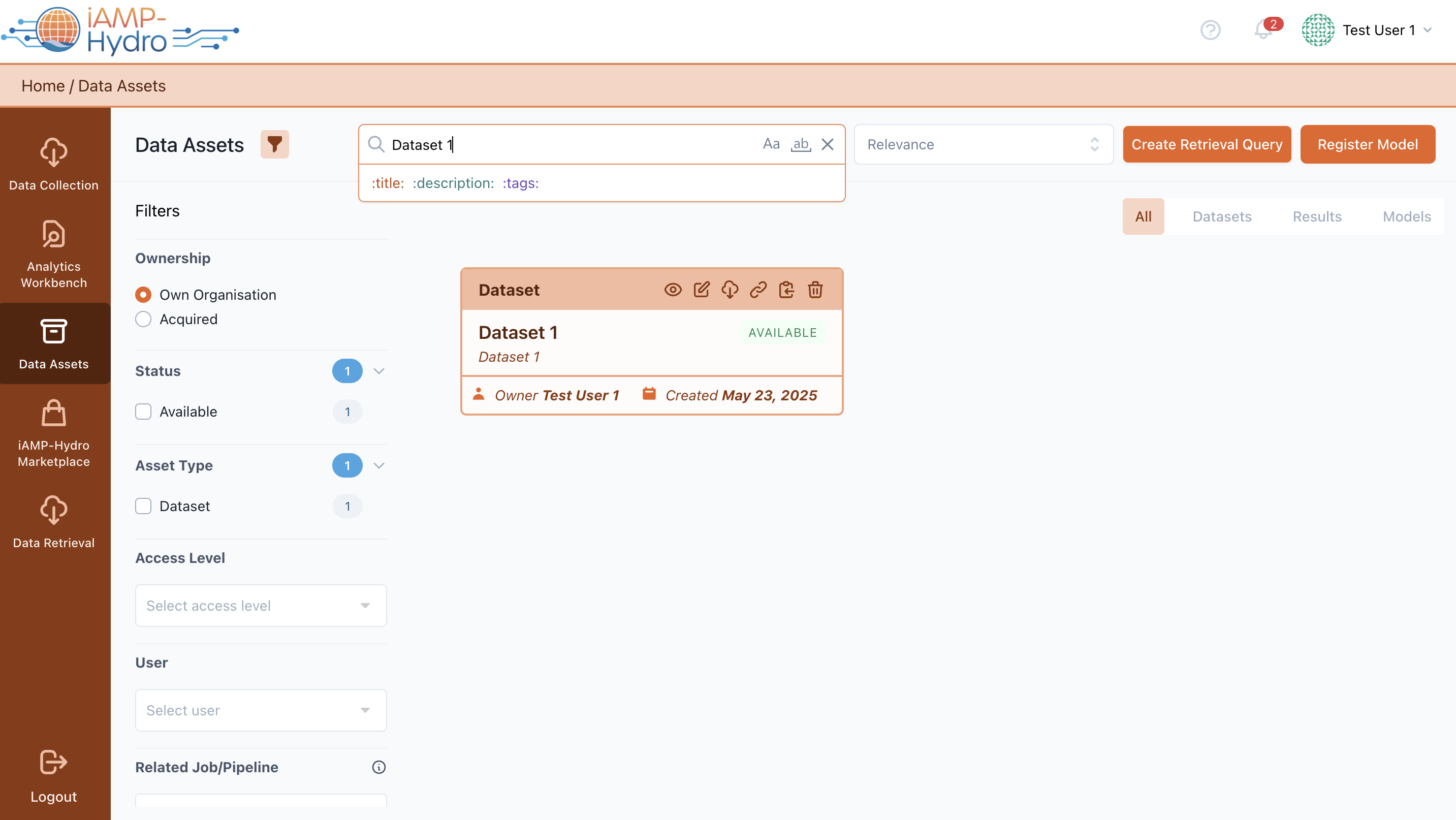
Data asset consumers exploring the iAMP-Hydro Marketplace have the option to search for specific data assets by entering keywords into the search bar and/or by browsing through various parameters (such as type, domain, category, accessibility, format, and language) under the iAMP-Hydro Marketplace Search Tab. Sorting the available assets through the following criteria: (a) Title Descending, (b) Title Ascending, (c) Date Created (newest first), (d) Date Created (oldest first), (e) Date Updated (newest first), (f) Date Updated (oldest first), (g) Data Provider Descending, (h) Data Provider Ascending, (i) Relevance (active only when a search has been executed). Filtering the available results based on type, domain, data provider type, Expected Usage, Offline Retention. The results are filtered and presented directly in the Results View, as illustrated in the following figure.
Hint
You can search (through partial or exact match) across the available assets based on their title, description, tags separately (or their combination).
A Data Consumer can choose to acquire a single data asset, add it to their cart, view its details (Title, Description, Data Provider, Type, Volume, Temporal Coverage, Spatial Coverage, Timeliness), or add it in the wish list.
A data asset consumer, owning an acquired data asset, can choose to view the whole asset’s profile (View Details) or check the active contracts (View Contract).
Hint
In case of public assets, the “Acquire asset” option is the only action that is to be performed by the Data Consumer, and the asset directly appears in the portfolio of his/her organization.
If the Data Consumer decides to view more detailed information about a particular data asset in the Marketplace (View details button), they will be redirected to the specific asset view where an overview and comprehensive details of the data asset, depending on its type, will be displayed.