Acquire a single Data Asset
Acquiring a Single Data Asset - Data Asset Consumer Perspective
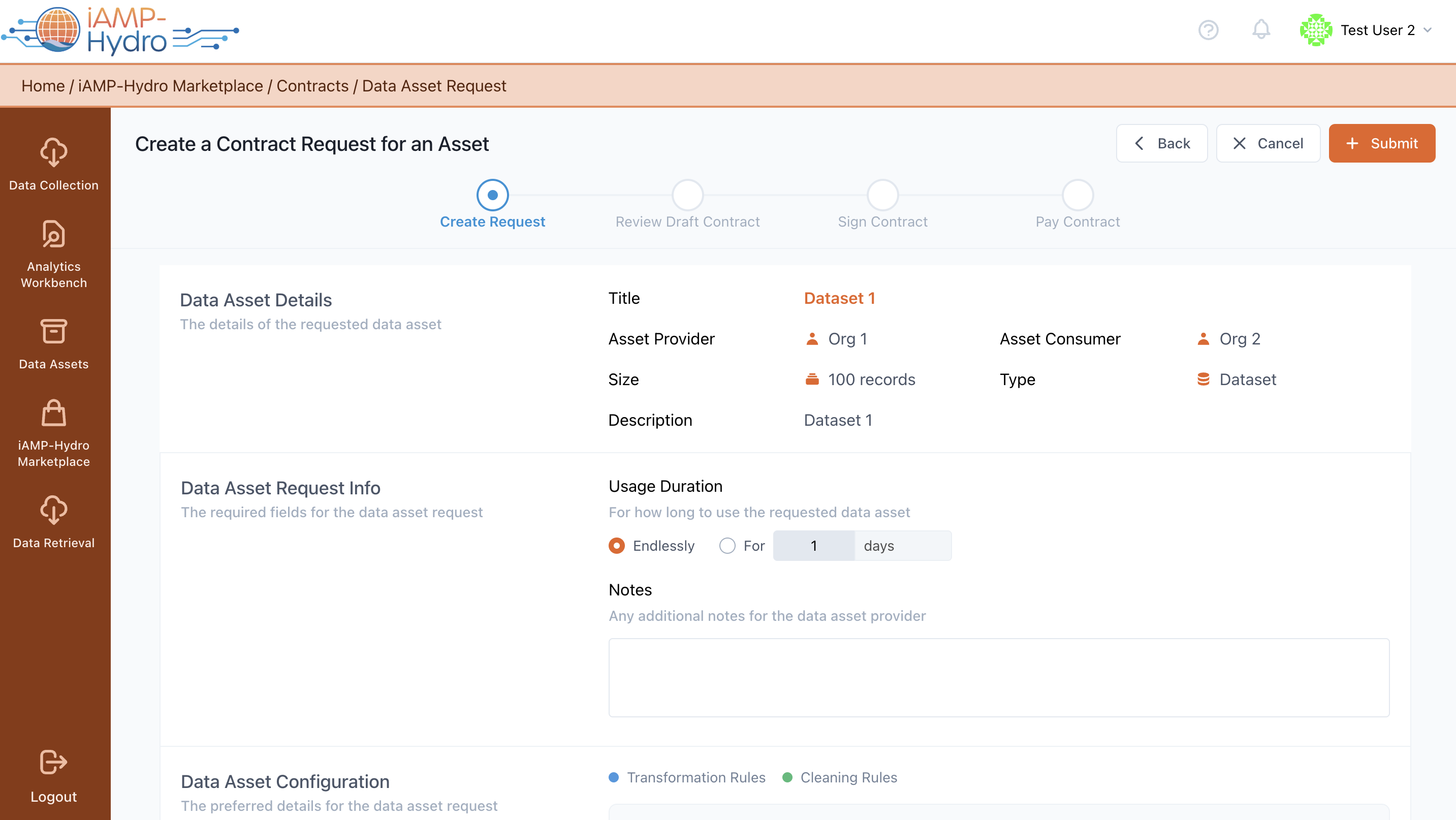
As a Data Asset Consumer, you can initiate the formal acquisition process of a data asset by creating a request to the data asset provider, as demonstrated in the following figure. You are required to input details regarding the data asset request, including the duration of use (including any available updates during this period). Additionally, you may choose to include a message to the data asset provider describing how the data asset will be utilized.
Hint
- Details about the data asset structure and processing rules that have been applied on the data are available.
- In case of partial asset selection (as defined in asset metadata), you need to select what fields you would like to acquire.
The next step is the submission of the asset acquisition request through the Submit button on the top right of the screen.
- The initiation of acquiring a data asset is performed by the data asset consumer; subsequent steps are handled by the legal representative of the company.
- If a data asset consumer has initiated requests for data assets but the legal representative has not yet set up a wallet, acquiring a data asset cannot proceed until a wallet is generated in the Contracts tab.
Reviewing a Data Asset Request and Preparing a Draft Contract - Data Asset Provider Perspective
The organization’s legal representative, acting as the Data Asset Provider, receives notifications (via the platform and/or email about an asset Request) and can view the details of each request made by potential Data Asset Consumers. There are two options: decline the request or offer a contract.
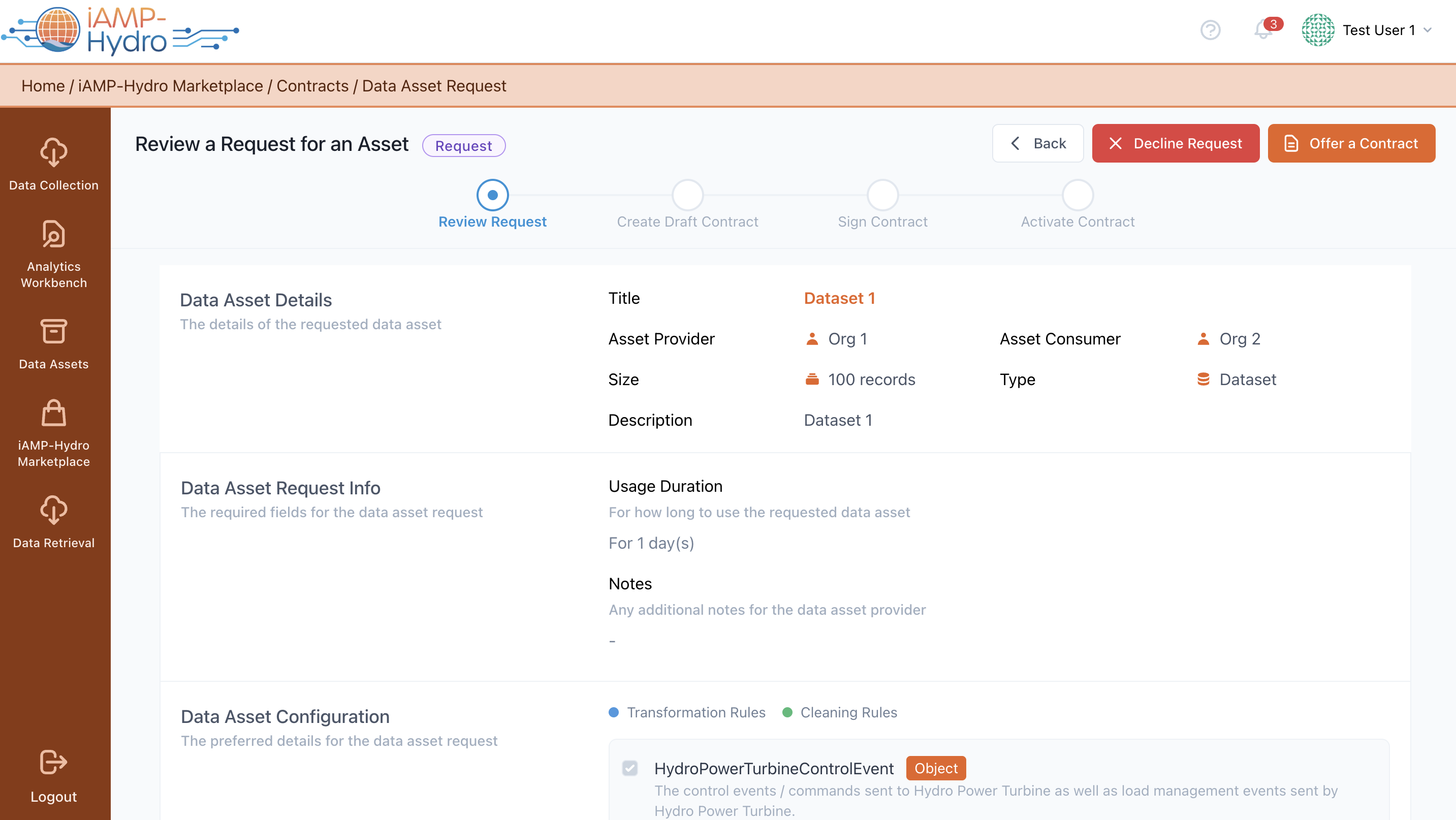
In the latter case, the legal representative of the organization, acting as the Data Asset Provider, accepts the request, and a draft contract for the corresponding Data Asset must be prepared, as shown in the following figure.
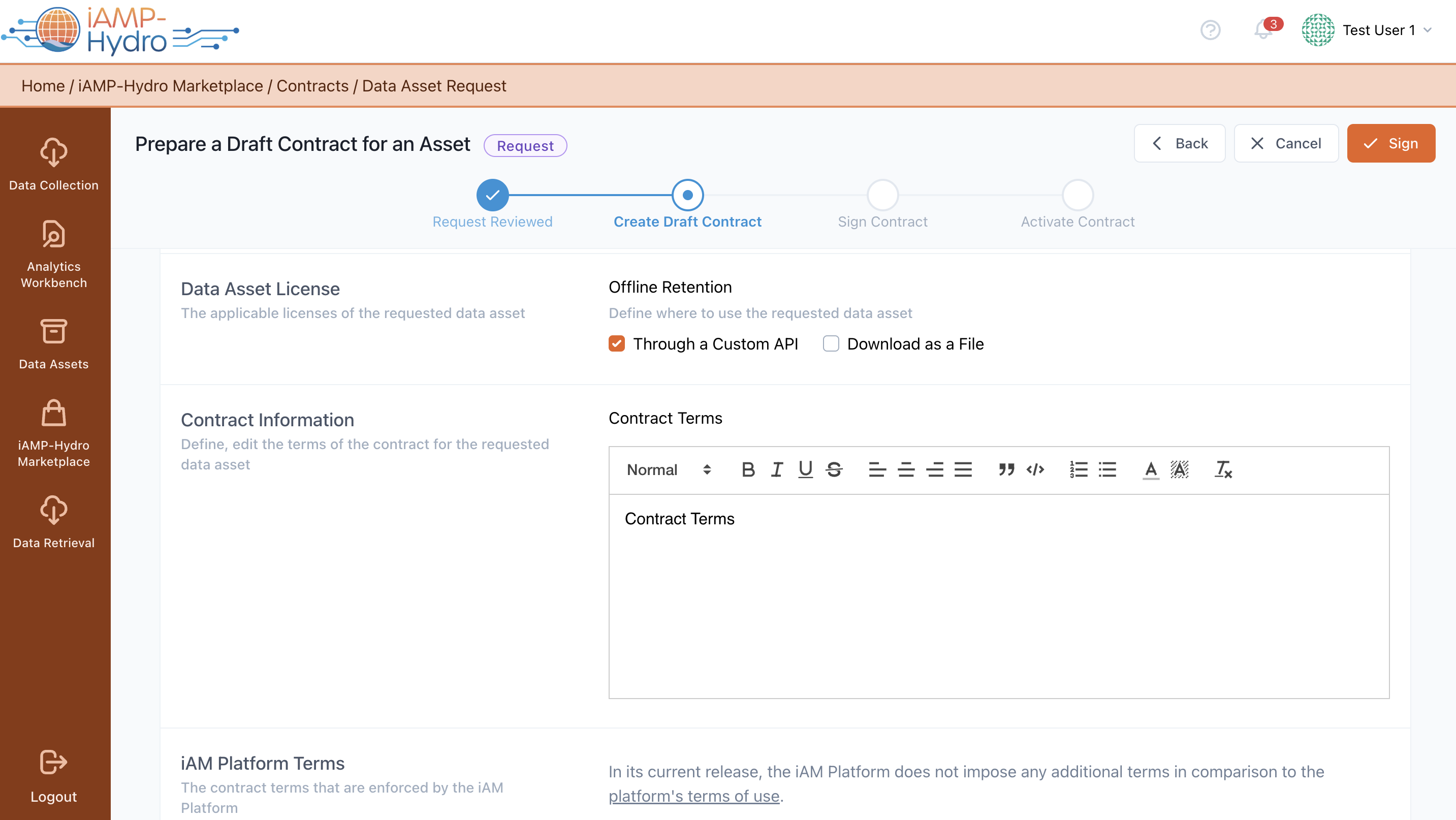
The manager may review the data asset details (depending on its type),and establish contract terms governing the data asset acquisition between the provider and consumer.
- License details: whether the data asset will be exclusively used within the iAM Platform or if you prefer to download it "locally", Offline Retention, Expected Updates (The frequency that updates to the data asset will be provided).
- Contract Terms: Additionally, you may choose to include a message to the Data Asset Consumer, describing how the data asset should be utilised (either free text or loading a pre-filled contract template). Once you've entered all necessary details regarding the data asset request, you can submit the request to the organization’s manager from the data asset provider side.
Hint
- Terms enforced by the iAM Platform are listed and cannot be edited by either party.
- Upon inserting the organisation's wallet password, the legal representative can sign the draft contract to unlock the wallet and execute the contract on the blockchain.
Reviewing a Draft Contract - Data Asset Consumer Perspective
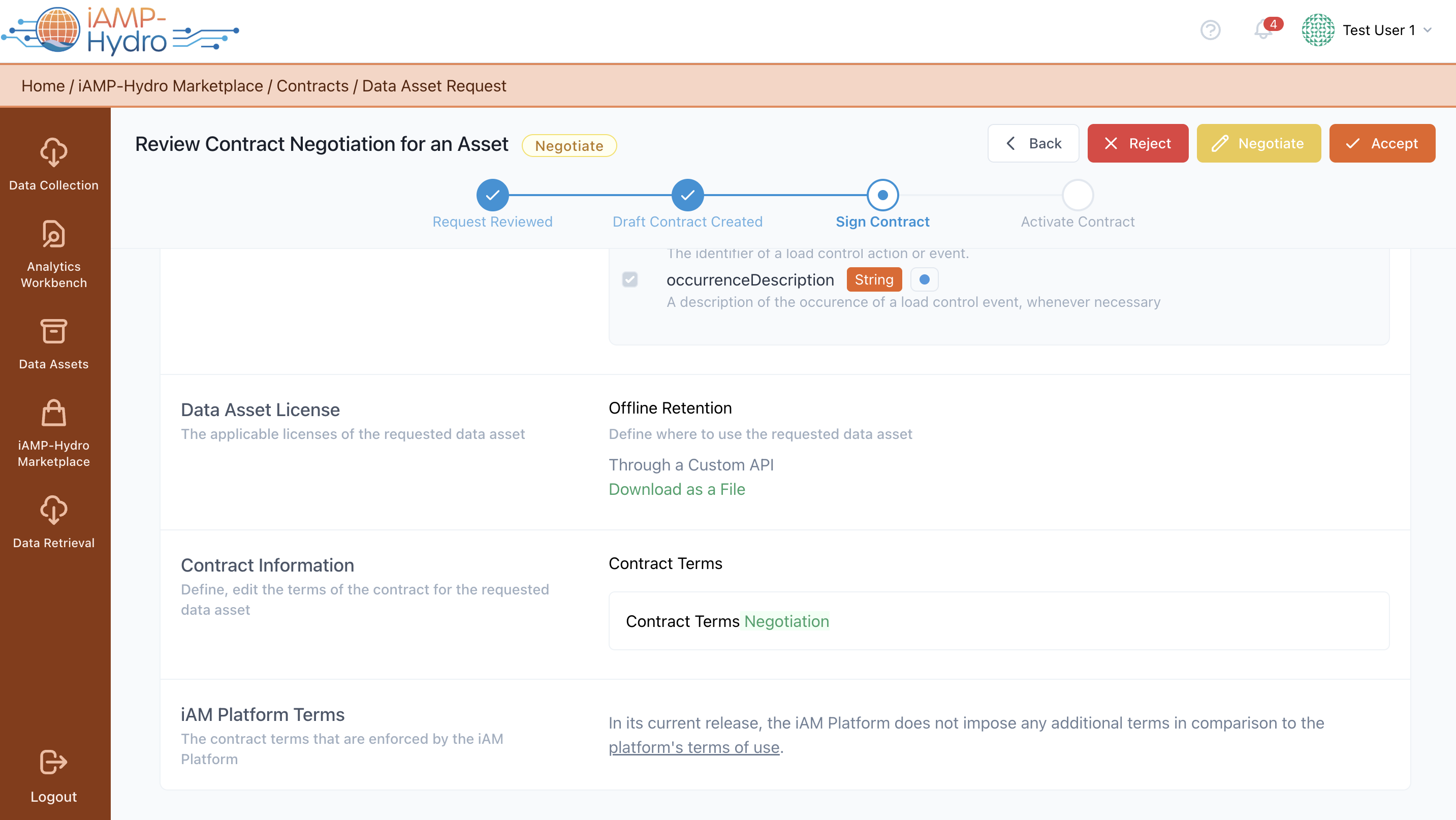
Upon the Data Asset Provider organisation's signing of a draft contract, the Data Asset Consumer legal representative is notified (via the iAM Platform and/or email) and can review the contract details, as shown in the following figure. After reviewing the details, the legal representative can accept, negotiate, or reject the offer. During this process, the Data Asset Consumer can also download the draft contract as a PDF file.
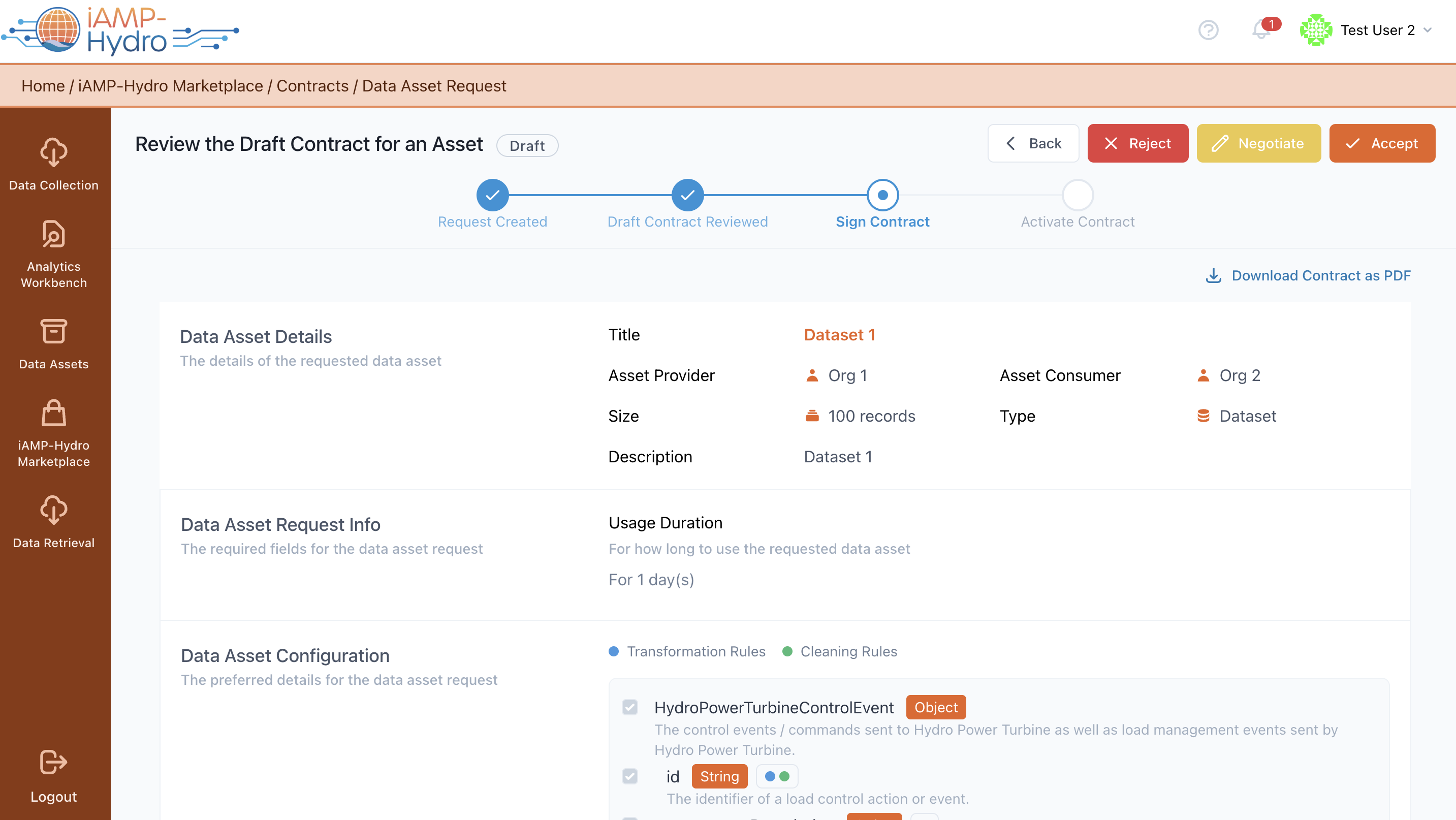
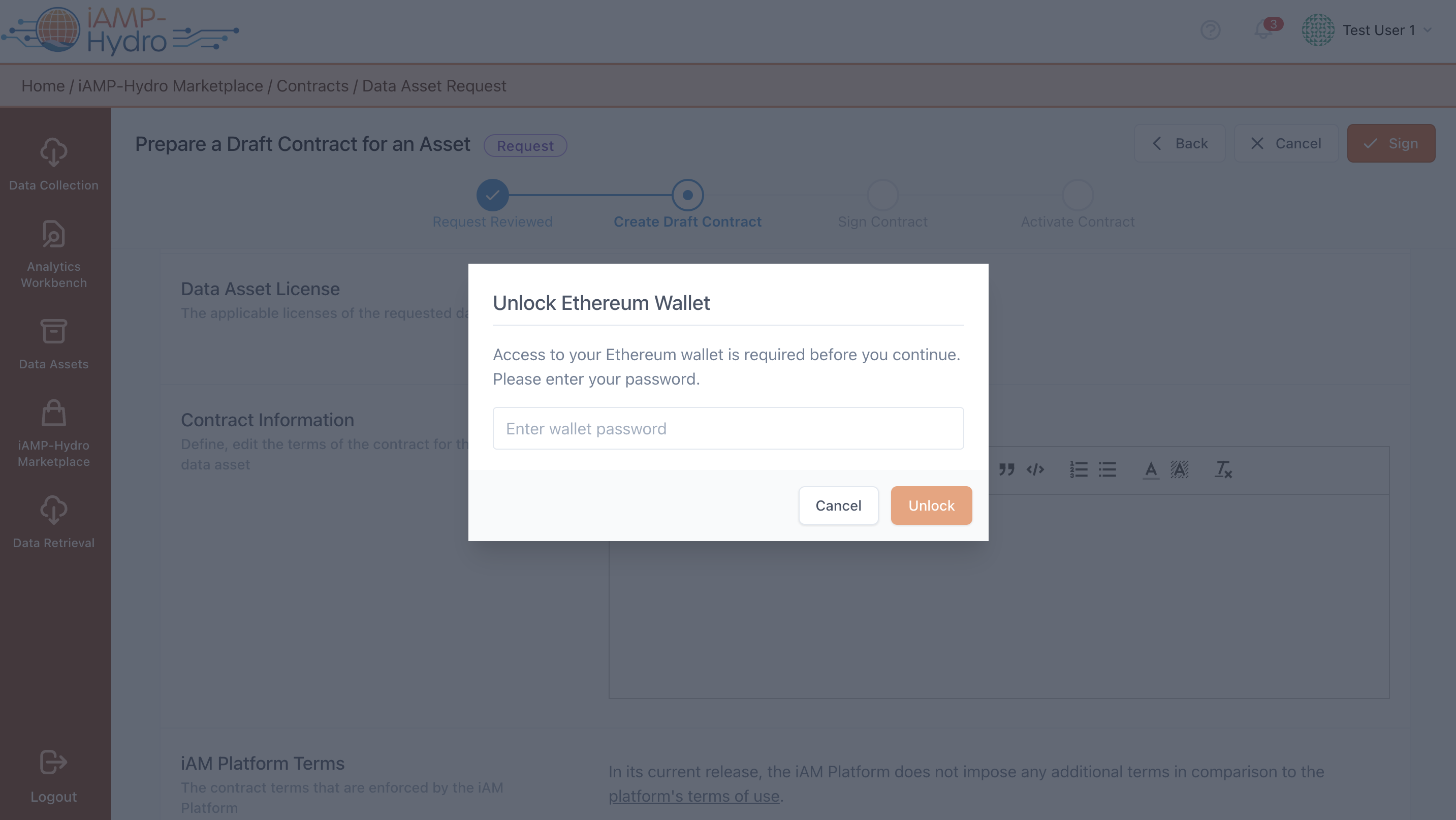
If the Data Asset Consumer legal representative opts to accept the draft contract, they must insert the organisation's wallet password and write the contract to the iAMP Platform’s blockchain, as depicted in the following figure.
If the legal representative representing the Data Asset Consumer rejects the draft contract's terms, the process concludes, and access to the requested data asset is not granted. The Data Asset Provider also views the contract with a "rejected" status.
Negotiating a Draft Contract - Data Asset Consumer Perspective
Should the Data Asset Consumer's legal representative choose to negotiate any part of the contract, such as the license, or terms, they can make changes to the contract terms by adding, editing, or removing them, as displayed in the following figure. After revising the contract, the legal representative can sign the revised contract by inserting the organization's wallet password and writing it to the iAMP Platform’s blockchain.
Reviewing a Revised Contract - Data Asset Provider Perspective
Upon contract revision, the Data Asset Provider legal representative is notified to review the changes requested by the Data Asset Consumer, as depicted in the following figure. Similar to the draft contract, the provider legal representative can accept, reject, or further negotiate the revised contract.
Hint
The negotiation process may iterate until both the Data Asset Provider and consumer legal representatives are satisfied with the contract terms for data asset acquisition.
Settling a Finalized Contract - Data Asset Provider Perspective
Once both parties have reached agreement and signed the same version of the contract, the Data Asset Provider legal representative must manually confirm the acceptance and then activate the contract, as shown in the following figure.
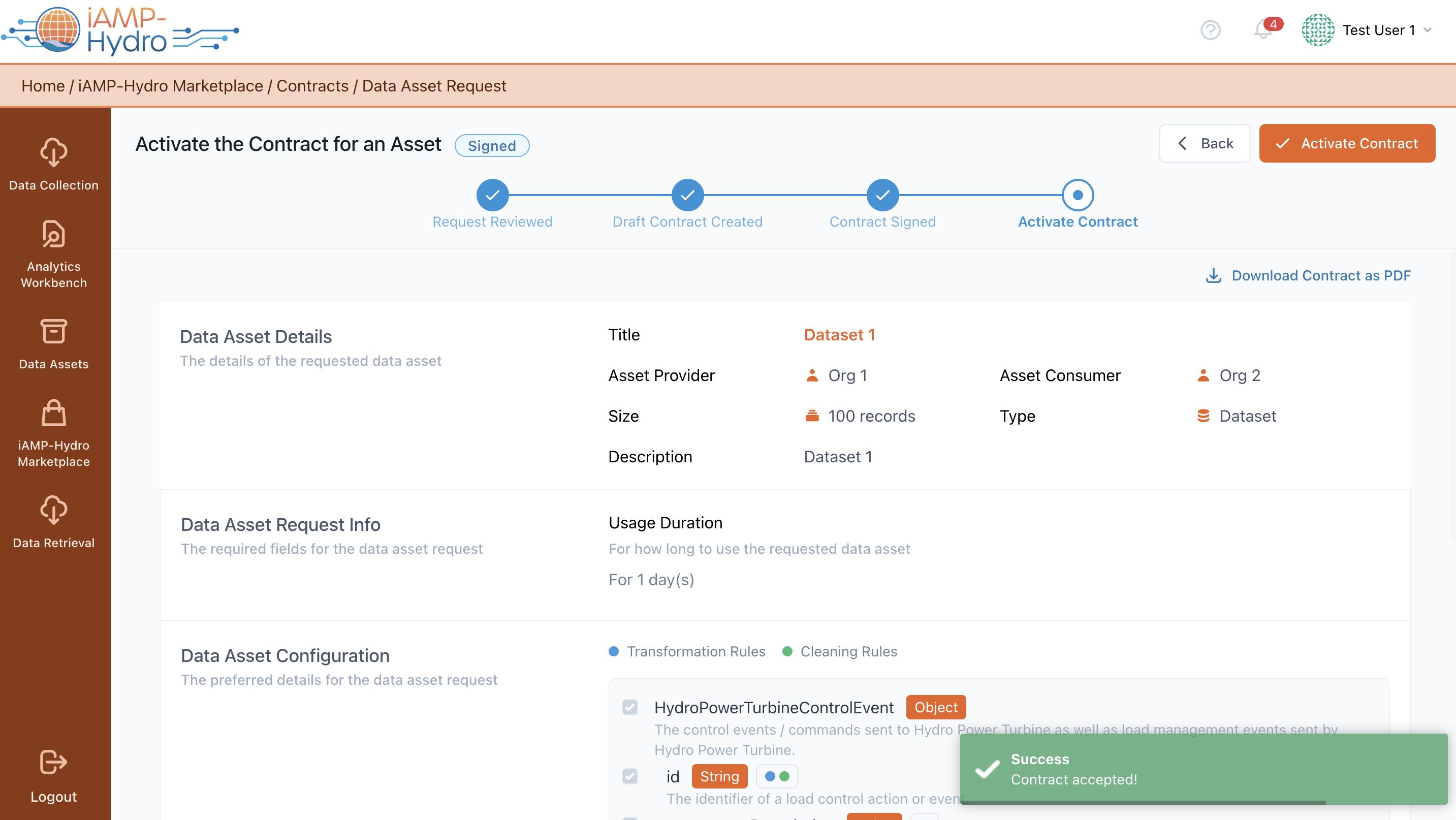
Once activated by the Data Asset Provider legal representative, the Data Asset Consumer legal representative is eligible to acquire the data asset according to the contract's terms.